How to edit and activate config
Open Config in the Console.
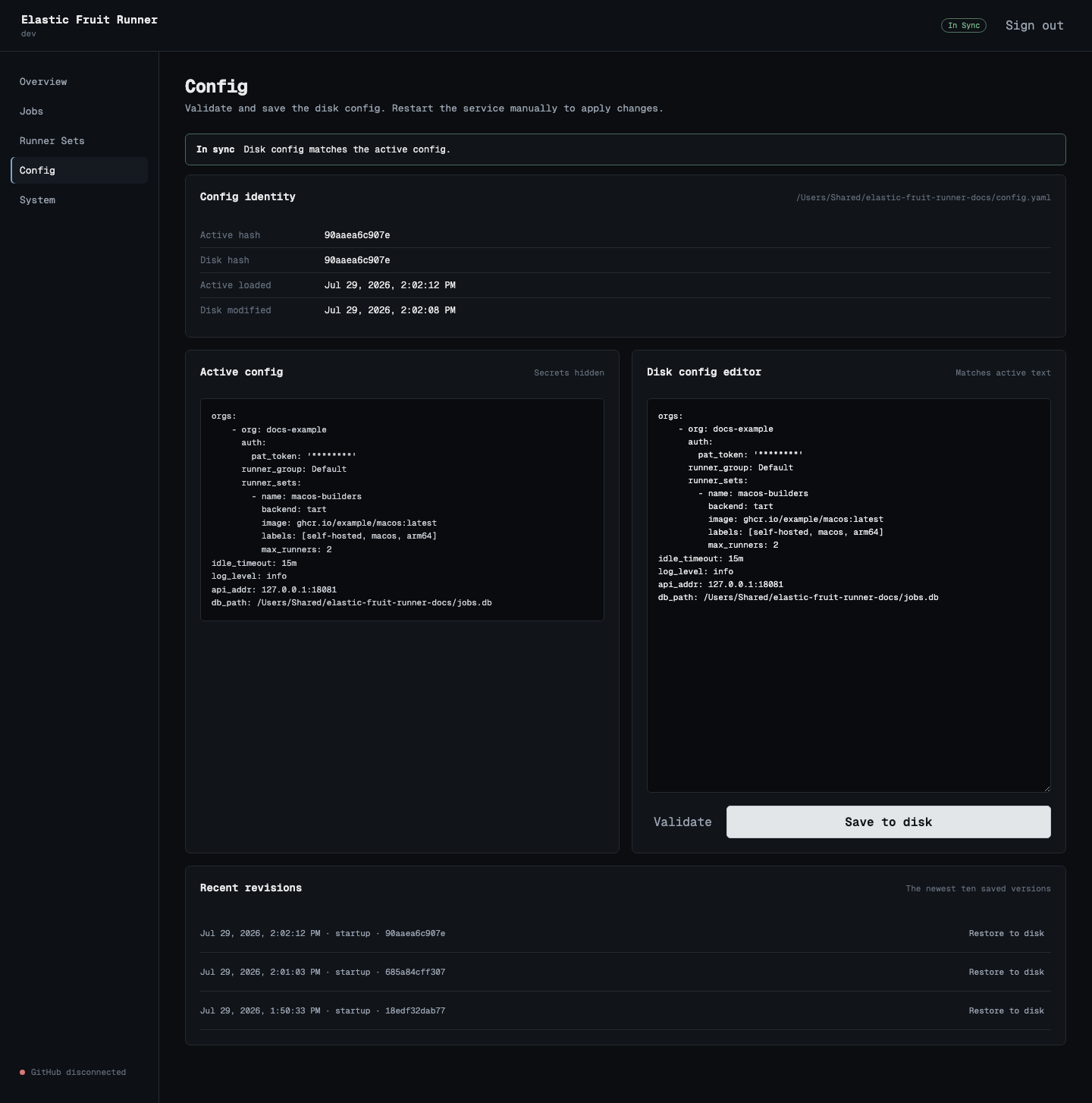
Check config state
Section titled “Check config state”The page reports one state:
- In sync means the active config and disk config match.
- Restart required means a valid disk config differs from the active config.
- Disk config invalid means the disk file cannot be used. The active config is unchanged.
The active config is the version loaded when the daemon started. The disk config is the current file content. Editing or saving the disk file does not change running controllers.
Edit the disk config
Section titled “Edit the disk config”- Edit YAML in Disk config editor.
- Select Validate.
- Fix every error.
- Review every warning.
Validation errors include a config path and a reason. A config with errors cannot be saved.
GitHub connectivity is a warning because validation does not make a network request.
Save the config
Section titled “Save the config”Select Save to disk.
If warnings exist, review them and select Save with warnings.
A successful save:
- Replaces the config file in one atomic operation.
- Sets file mode
0600. - Creates a config revision.
- Changes the page state to Restart required.
The Console hides PAT values and private key contents. Do not replace a masked secret unless you intend to change it.
Check running jobs
Section titled “Check running jobs”Open Jobs before restart. Wait for running jobs to finish when possible.
A service restart can interrupt a running job.
Restart the service
Section titled “Restart the service”Open Config and click Restart to apply. The daemon shuts down cleanly and starts again in the same process with the disk config. The page waits for the daemon to come back and then reloads.
When runners are busy, the Console reports how many jobs are running and asks you to confirm. Confirming cancels those jobs.
If the daemon does not come back within 90 seconds, the page shows the shell commands below. Use the command for your installation.
For Homebrew:
brew services restart elastic-fruit-runnerFor Docker Compose:
docker compose restart elastic-fruit-runnerFor systemd:
sudo systemctl restart elastic-fruit-runnerThe Console does not hot reload controllers. A restart is always a full stop and start of the daemon.
Confirm the active config
Section titled “Confirm the active config”After restart:
- Open Config.
- Confirm the state is In sync.
- Confirm active hash and disk hash match.
- Open Runner Sets and confirm each expected set exists.
- Open Overview and confirm GitHub connection state.
If the disk config is invalid, follow How to recover config.